


GIF Keyboard by Tenor
3.711.76K Reviews
App Specs
- Version
- 2.1.78
- Updated On
- License
- Free
- Downloads
- 50,000,000+
- Developer
- Tenor Google
- Categories
- Video Players & Editors
- Platform
- Android, iOS
Screenshots
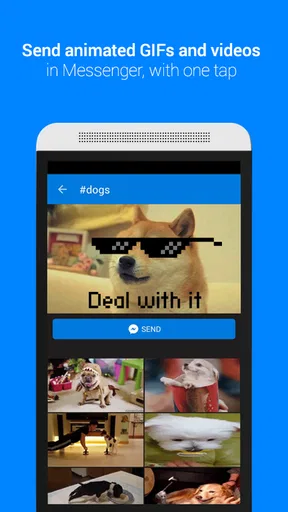
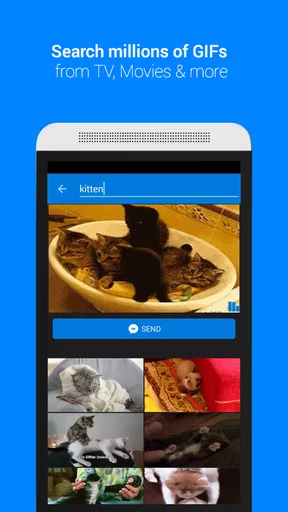
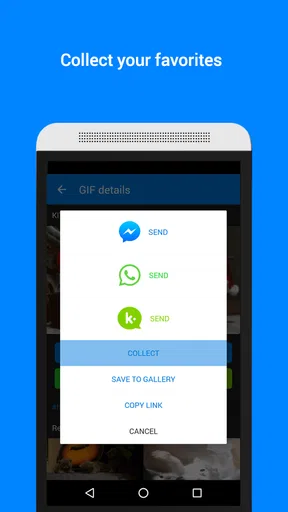
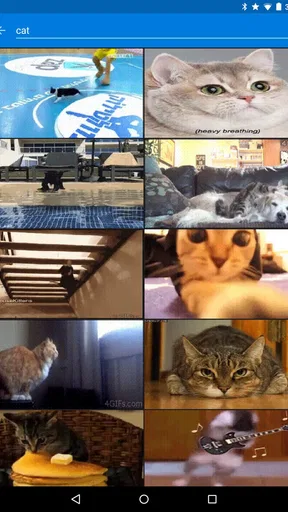
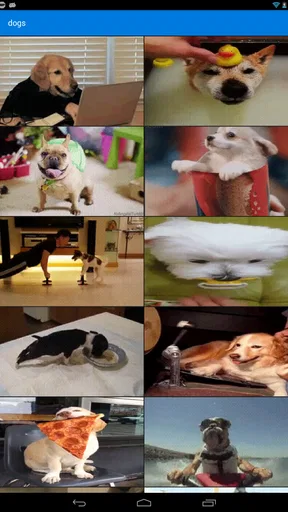
 Analysis by AppCompare
GIF Keyboard by Tenor is the kind of app I notice most when a conversation needs a little more personality than plain text can provide. Instead of leaving the chat, searching for a GIF in a browser, downloading it, and returning to the message, I can look for a reaction from the keyboard itself. That simple change makes animated replies feel much more natural, especially when a familiar expression says more than a sentence.
I reviewed it as a free Android app in the video players and editors category, developed by Tenor Google. Its purpose is narrow, but that is also its appeal: it is not trying to replace a full keyboard or become a video-editing suite. It focuses on finding and sharing GIFs while I am already typing. The important question is not whether it has endless tools, but whether it makes the right reaction easy to find without slowing down the conversation.
How GIF Keyboard by Tenor feels in everyday use
The first thing I look for in a GIF keyboard is speed of access. A reaction tool loses its charm if I have to navigate through several screens before reaching the search field. In normal use, the keyboard format gives the app a direct role in messaging: I open the GIF area, search for an idea or mood, browse the results, and choose one for the conversation. That workflow is more convenient than treating every GIF as a separate file that must be handled manually.
The experience is especially useful for quick emotional shorthand. A GIF can communicate disbelief, excitement, awkwardness, congratulations, or a playful refusal without forcing me to write an explanation. I found the keyboard approach most natural in casual chats, group conversations, and replies where tone matters. It also helps when a text message might sound too blunt; a carefully chosen reaction can soften it immediately.
Search quality matters more here than visual polish. When I know the feeling I want to express, I prefer typing a simple word rather than scrolling through an enormous collection. When I do not know exactly what I want, browsing becomes part of the fun, but it can also take longer than expected. My practical tip is to search by the emotion or action rather than by a vague subject. Terms connected to a reaction usually narrow the choice more effectively than broad topics.
There is a useful trade-off in this design. The keyboard makes sharing fast, but it also keeps the app tied to the messaging app and keyboard environment where it is being used. Someone who wants to edit clips, add captions, trim animations, or organize personal media will find the experience too limited. This is a discovery-and-sharing tool, not a replacement for a dedicated editor.
Speed expectations and the moments that test it
For light use, I would expect the app to feel responsive when the keyboard is already available and the search is straightforward. The main delay is less likely to come from typing a message and more likely to appear while results are being found or previewed. That distinction is important: the keyboard itself may be ready quickly, while the search experience still depends on loading visual content.
Worth Reading Before You Choose

EA SPORTS FC Mobile 26 Is a Bigger Football Game, but It Takes Time

Flipboard Shows What News Apps Must Do Beyond the Feed

Switching to Android Auto Means Rethinking Your Driving Routine

Google Calendar Makes a Crowded Week Easier to Manage

Ludo King Makes the Most of the Minutes Between Plans

Baby Panda World Brings Quick Play to Modern Phones, but Its Game Library Feels Busy
In a real everyday scenario, imagine a friend sending a photo from a trip and asking for a reaction. I can open the GIF panel, search for something like “jealous,” “amazing,” or “safe travels,” and send a playful response without switching to another application. That saves enough effort to make GIFs part of the conversation rather than an occasional project. If I am replying rapidly in a busy group chat, however, I would avoid browsing aimlessly and use a focused search instead.
Heavy use exposes a different kind of friction. Sending one reaction is simple, but searching repeatedly, previewing many results, and moving between several chats creates more opportunities for the keyboard to feel busy. I would not judge the app only by its best single search; the more realistic test is whether it remains comfortable during a long exchange filled with animated replies.
Animated media can also be more demanding than a plain text keyboard. I would be cautious about treating GIF Keyboard by Tenor as invisible background software, particularly on an older phone or when many other apps are active. The app is designed around visual content, so it naturally asks the device to display more than an ordinary text input. That does not make it unsuitable for modest hardware, but it does make restraint sensible during extended browsing.
One practical habit helps: search with a clear phrase, choose a result, and return to the conversation rather than keeping many previews open. This reduces the time spent in the discovery view and makes the keyboard feel more like a quick tool. I also prefer using it for a specific expressive purpose instead of opening it whenever I have nothing to say. The difference is small, but it keeps the feature from becoming distracting.
Reliability, recovery, and the role of the keyboard
Reliability is not only about whether an app opens. For a keyboard-based tool, it also means appearing when I expect it, returning me to the right conversation, and recovering gracefully when a search or preview does not go smoothly. The app’s usefulness depends on that chain working together. If one step breaks, the convenience advantage over ordinary GIF searching becomes much smaller.
My preferred recovery approach is simple: close the GIF panel, continue with text, and reopen it only when needed. That keeps a temporary loading issue from interrupting the entire message. If the keyboard view feels crowded after repeated searches, returning to the standard typing area before opening the GIF section again is a sensible reset. It is a small workflow adjustment, but it prevents a minor hiccup from turning into a frustrating session.
I would also keep expectations realistic when moving between different messaging apps. A GIF keyboard is not completely independent of the place where it is used. The way a selected animation is inserted or shared can vary with the conversation app and its composer. For that reason, I would test it first in the chats I use most rather than assuming every app will handle the result identically.
Privacy-conscious users may want to think carefully about the keyboard concept itself. A keyboard is a sensitive part of a phone because it sits close to personal communication, even when the main purpose here is GIF discovery. I would only enable it after reviewing the device’s own keyboard settings and understanding which keyboard is active at any moment. Users who are uncomfortable adding another input method may prefer searching for GIFs inside their existing messaging app instead.
That is one of the clearest cases where the usual alternative can be better. Many messaging services already include their own GIF search, and that option avoids adding a separate keyboard to the phone. If I only send an animated reaction once in a while, the built-in tool is probably enough. GIF Keyboard by Tenor makes more sense for someone who regularly wants expressive media available across conversations and values a consistent entry point.
Device constraints and long-session comfort
The app supports Android devices starting with version 7.0, which gives it a broad place among older and newer phones. Still, operating-system eligibility is not the same as identical comfort on every device. Screen size, available memory, keyboard layout, and the behavior of the messaging app all influence how pleasant the experience feels.
On a smaller display, browsing animated results can make the keyboard area feel cramped, especially when I am trying to read the conversation and choose a reaction at the same time. On a larger screen, previews are easier to compare, but the extra visual space can encourage longer browsing. In both cases, focused searches are more efficient than treating the GIF panel like an endless gallery.
Older phones deserve particular consideration. The app is free and does not need to be treated like a demanding creative editor, but visual search and animated previews are still more involved than ordinary typing. If a device already struggles when switching between apps, I would avoid keeping several media-heavy conversations open while searching. Closing unused apps before a long messaging session can make the whole phone feel less burdened, even though it is not a special setting inside this app.
Storage and data habits also affect the experience in practical ways. I would not assume that every GIF behaves like a tiny text message. Frequent animated sharing can use more network activity than plain chat, and repeated browsing can become wasteful when I am only looking for one reaction. Searching with intent is therefore both a performance habit and a sensible way to avoid unnecessary media loading.
The Teen content rating is another reason I would treat the search results with some judgment. The app is aimed at expressive communication, but a broad GIF library can include material that is not suitable for every conversation or audience. I would preview an animation before sending it, particularly in a work chat, a mixed-age group, or any conversation where tone can be misunderstood. The responsibility is not just finding something funny; it is choosing something appropriate for the person receiving it.
Useful workflows beyond the obvious search
One of my favorite ways to use the app is as a tone-checking tool. Before sending a message that might sound cold, I can look for a reaction that matches the intended mood. This is more useful than simply adding random animation because it makes the GIF support the message instead of replacing it. A short sentence plus a well-matched reaction often feels clearer than either one alone.
Another good workflow is to search by situation rather than by celebrity, show, or broad theme. If I need to answer an apology, celebrate a small win, or signal that I am waiting, a situation-based search gives me a more usable set of choices. This approach also reduces the temptation to spend too long browsing recognizable clips that do not actually fit the conversation.
I would use it differently in a group chat than in a private conversation. In a group, a quick, widely understandable reaction works best because several people may interpret it at once. In a private chat, I can choose something more specific to the relationship. That distinction helps avoid a common mistake: selecting a GIF because it is amusing on its own, even though it sends the wrong message in context.
For people who communicate across language barriers, animated reactions can also provide a little extra clarity. They do not replace translation, but an obvious gesture or expression may make the emotional intention easier to understand. I would still avoid relying on irony or sarcasm when the other person may not share the same cultural references. The strongest use is simple emotional emphasis, not complicated jokes.
What the numbers suggest about its place today
The app has been available since March 25, 2015, and its current version is 2.1.78. That long presence helps explain why it feels like a focused utility rather than a brand-new social experiment. It has had time to become familiar to people who want GIF access while typing, but longevity does not remove the need to compare it with the tools already built into modern messaging apps.
Its scale is substantial: it has passed 50 million installs, with an average rating of 3.7 from around 256 thousand ratings and roughly 12 thousand written reviews. I read that combination as a sign of broad usefulness with room for individual frustration. A tool can be popular because it solves a common problem while still receiving mixed reactions from people who dislike keyboard permissions, encounter inconsistent behavior, or simply prefer their messenger’s built-in search.
The price is one of its strongest practical advantages. Since it is free, trying it does not require committing money to a feature that may or may not fit a person’s habits. That makes experimentation reasonable, especially for someone who sends GIFs several times a week. The real cost is attention: if the keyboard adds clutter or becomes another interface to manage, the convenience may not justify keeping it enabled.
Who should use it, and who should skip it?
I would recommend GIF Keyboard by Tenor to frequent messengers who want animated reactions available in more than one conversation environment. It is also a good match for people who often struggle to express tone in short messages, or who enjoy responding visually without opening a separate search page. The keyboard format is most valuable when speed and emotional nuance matter more than editing control.
I would be less enthusiastic for someone who rarely sends GIFs, has a phone that already feels overloaded, or is uncomfortable managing an additional keyboard. That person may get a cleaner experience from the GIF search already included in a favorite messaging app. Likewise, creators who want to make original animations, add text, crop video, or control export settings should look toward a dedicated video editor instead. This app is about finding a response, not producing one.
Users who need strict control over every piece of shared media should also take a cautious approach. A quick search can produce several results that look similar but carry different implications. Previewing before sending is essential, and I would avoid choosing a GIF solely because it appears at the top of a result list. The best response is the one that fits the conversation, not necessarily the most eye-catching one.
My performance verdict after living with the concept
GIF Keyboard by Tenor succeeds because it removes a needless interruption from GIF sharing. When it is working comfortably, I can move from thought to reaction without leaving the chat, and that is a meaningful improvement over downloading media through a browser. Its strongest qualities are convenience, expressive range, and a focused purpose rather than a long list of unrelated tools.
Its limitations are equally clear. Animated search is heavier than plain typing, the experience can depend on the messaging app and device, and the keyboard format will not appeal to people who prefer a minimal input setup. Long browsing sessions are less efficient than targeted searches, and the Teen rating means I should still check what I am about to send instead of assuming every result suits every audience.
My final judgment is positive for the right user: this is a practical reaction keyboard, not a full media editor or an essential replacement for every messenger’s built-in tools. I would install it if GIFs are part of my everyday conversations and I want them close to the text field. I would skip it if I send animated media only occasionally, prioritize a very lean keyboard, or need creation and editing features. For casual communicators who want a faster way to add tone, it earns a place on the phone as long as focused searching and sensible previews become part of the routine.
Pros
- Large library of searchable GIFs
- stickers
- and reaction images.
- Suggestions adapt well to popular conversations and current trends.
- Works inside many messaging apps through keyboard integration.
- Easy sharing with minimal taps once keyboard access is enabled.
- Supports multiple languages and offers useful emoji suggestions.
Cons
- Full keyboard access may concern users who prioritize privacy.
- Some GIFs can load slowly on weaker mobile connections.
- Trending results may include repetitive or occasionally unsuitable content.
- The keyboard can use noticeable storage for cached media and data.
- Some features depend on the compatibility of the messaging app.
FAQs for GIF Keyboard by Tenor
What is GIF Keyboard by Tenor and what can I use it for?
GIF Keyboard by Tenor is a mobile keyboard and GIF search tool that lets you find and share animated GIFs, stickers, and short visual reactions directly from compatible messaging and social apps. After installing it, you can search by words, emotions, or topics, browse trending content, and send a GIF without leaving the conversation. It is especially useful when text alone does not express the right mood or response.
Is GIF Keyboard by Tenor free to download and use?
Yes, GIF Keyboard by Tenor is generally available as a free download on Android and iOS. You do not normally need to pay to search for or share the GIFs available through the service. However, the app may display advertising or collect usage-related information according to its privacy policy. Your mobile carrier may also charge for data usage, particularly when loading or sending animated images over cellular networks.
How do I enable and use Tenor as a keyboard?
After installing the app, open it and follow the setup instructions to enable Tenor in your device’s keyboard settings. On some phones, you must also select it as the active keyboard before it appears while typing. Once enabled, open a supported messaging app, tap the keyboard or GIF button, and search for content using keywords. The exact steps and available features can vary between Android and iOS versions.
Does GIF Keyboard by Tenor work in every messaging or social media app?
Tenor works with many popular messaging and social applications, but its integration is not identical everywhere. Some apps allow you to search and insert a GIF directly from the keyboard, while others may require copying a GIF link or saving and sharing the file through another method. Compatibility can also depend on your device, operating-system version, and whether the receiving app supports animated GIFs.
Is GIF Keyboard by Tenor safe, and what privacy considerations should I know about?
The app is designed for sharing visual content, but enabling any third-party keyboard deserves careful attention because keyboards can technically process information entered through them. Review the permissions requested, read Tenor’s current privacy policy, and download the app only from the official Google Play Store or Apple App Store. Avoid entering sensitive information while using a third-party keyboard, and disable it in system settings if you no longer need it.


